Configure Network
From Tranzman Documentation
Network Configuration for Tranzman Appliance
By default, Tranzman Appliance uses DHCP for network configuration.
You can switch to static configuration using the Network Configuration page.
Network Configuration Steps
-
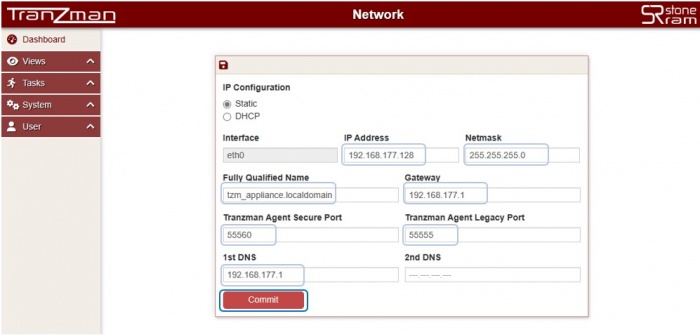
Static Configuration:
Select the Static radio button.
Configure IP Address, Netmask, Fully Qualified Name, Gateway, Tranzman Agent Secure Port, Tranzman Agent Legacy Port, 1st DNS, 2nd DNS.
-
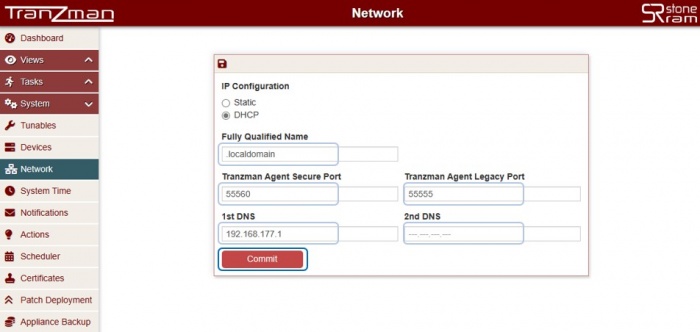
DHCP Configuration:
Configure Fully Qualified Name, Tranzman Agent Secure Port, Tranzman Agent Legacy Port, 1st DNS, 2nd DNS.
-
Click Commit to update the configuration.
On success, you will be redirected to the System Time page for appliance date/time configuration.


🛈 It is not recommended to modify the Tranzman Agent Ports without StoneRam assistance.

