Difference between revisions of "Tranzman Recorder"
(→TZM Recorder for Windows) |
|||
| (25 intermediate revisions by the same user not shown) | |||
| Line 1: | Line 1: | ||
| − | === | + | __TOC__ |
| − | The | + | <br> |
| − | It gathers information from backup environments for initial assessment and migration purposes.<br> | + | <br> |
| − | Additionally, it serves as a virtual agent for migrations and recoveries. | + | <div style="background-color:#fde9e9; padding: 1.5rem; border-radius:8px; max-width:80%; margin: 0 auto; margin-bottom:2rem;"> |
| + | <h1 style="border-bottom:none; font-size:2.5em; font-weight:bold; text-align:center;">Tranzman Recorder Overview & Usage</h1> | ||
| + | <p style="font-size:1.2em; text-align:left;"> | ||
| + | The <b>Tranzman Recorder</b> is a FREE tool designed to create a data snapshot of the origin or destination backup environments involved in a migration.<br> | ||
| + | It gathers information from backup environments for initial assessment and migration purposes.<br> | ||
| + | Additionally, it serves as a virtual agent for migrations and recoveries.<br> | ||
| + | <br> | ||
| + | <b>Download:</b> [https://www.stoneram.com/tranzman-overview/138-bb/294-tools Tranzman Recorder] or request via email: <font style="color:blue">[mailto:tzm_support@stoneram.com TZM support]</font> | ||
| + | </p> | ||
| + | <div style="display:inline-block; box-shadow:5px 5px 10px grey; margin:1em auto;"> | ||
| + | [[File:Tranzman_recorder_webpage.jpg | 700px]] | ||
| + | </div> | ||
| + | </div> | ||
| − | === | + | <div style="max-width:80%;background-color:#fff9c4; padding:0.5rem; border-radius:8px; box-shadow:0 2px 4px rgba(0,0,0,0.06); font-size:1em; margin: 0 auto;"> |
| − | + | <p>[[File:Note.png|20px]] From NBU version > 10.5, <i>tzm_recorder -setup_nbat</i> command must be completed before running <i>tzm_recorder</i> | |
| + | <table style="width:100%;color:white;background-color:black;font-family:monospace;border-radius:5px;border:3px solid #000;box-shadow:5px 5px 10px grey;"> | ||
| + | <tr><td><font style="color:blue">> </font>./tzm_recorder -setup_nbat</td></tr> | ||
| + | <tr><td>Please enter the type (NIS, NISPLUS, WINDOWS, vx, unixpwd, ldap) <font style="color:blue">> </font>unixpwd <font style="color:grey">#use appropriate type</font></td></tr> | ||
| + | <tr><td>Please enter the broker <font style="color:blue">> </font> PRIMARY_FQDN</td></tr> | ||
| + | <tr><td>Please enter the login username <font style="color:blue">> </font> USERNAME</td></tr> | ||
| + | <tr><td>Please enter the password for <username> <font style="color:blue">> </font> PASSWORD</td></tr> | ||
| + | </table> | ||
| + | </p> | ||
| + | <p><br> All of the recent versions of Linux, NetBackup Appliance, Flex/Flexscale Appliances are x86_64(AMD64) based. So use 'Linux 64bit' TZM Recorder binary for these machines. | ||
| + | </p> | ||
| + | </div> | ||
| + | <br> | ||
| + | |||
| + | <div style="max-width:80%; margin: 0 auto;"> | ||
| + | <div style="background-color:#edf7ff; padding:1.5rem; border-radius:8px; box-shadow:0 2px 4px rgba(0,0,0,0.06); margin-bottom:2rem;"> | ||
| + | <h2 style="border-bottom:2px solid #bbdefb; padding-bottom:0.5rem; font-size:1.5em;">Recorder Usage: UNIX/Linux</h2> | ||
| + | <ol style="font-size:1.1em; margin-left:2em;"> | ||
| + | <br> | ||
| + | <li> | ||
| + | <b>Download and Extract</b><br> | ||
| + | Download the recorder binary onto the backup servers involved in the migration.<br> | ||
| + | Copy the binary to /usr/openv/tmp directory | ||
| + | Ensure at least <b>2GB of free space</b> on the filesystem.<br> | ||
| + | Extract using: | ||
| + | <table style="width:100%;color:white;background-color:black;font-family:monospace;border-radius:5px;border:3px solid #000;box-shadow:5px 5px 10px grey;"> | ||
| + | <tr><td><font style="color:blue">> </font>tar xzf tzm_recorder_linux.64.tgz</td></tr> | ||
| + | </table> | ||
| + | <p>If tar does not support z:</p> | ||
| + | <table style="width:100%;color:white;background-color:black;font-family:monospace;border-radius:5px;border:3px solid #000;box-shadow:5px 5px 10px grey;"> | ||
| + | <tr><td><font style="color:blue">> </font>gunzip tzm_recorder_linux.64.tgz</td></tr> | ||
| + | <tr><td><font style="color:blue">> </font>tar xf tzm_recorder_linux.64.tgz</td></tr> | ||
| + | </table> | ||
| + | </li> | ||
| + | <br> | ||
| + | <li> | ||
| + | <b>Update Permissions</b><br> | ||
| + | <table style="width:100%;color:white;background-color:black;font-family:monospace;border-radius:5px;border:3px solid #000;box-shadow:5px 5px 10px grey;"> | ||
| + | <tr><td><font style="color:blue">> </font>chmod +xr -R tzm_recorder</td></tr> | ||
| + | </table> | ||
| + | </li> | ||
| + | <br> | ||
| + | <li> | ||
| + | <b>Execute the Recorder</b><br> | ||
| + | <table style="width:100%;color:white;background-color:black;font-family:monospace;border-radius:5px;border:3px solid #000;box-shadow:5px 5px 10px grey;"> | ||
| + | <tr><td><font style="color:blue">> </font>cd tzm_recorder</td></tr> | ||
| + | <tr><td><font style="color:blue">> </font>./tzm_recorder</td></tr> | ||
| + | <tr><td><nowiki>INFO | Tool build date Thu Apr 6 21:45:03 2023</nowiki></td></tr> | ||
| + | <tr><td><nowiki>INFO | START - Gathering environment information</nowiki></td></tr> | ||
| + | <tr><td><nowiki>INFO | Retrieving process list</nowiki></td></tr> | ||
| + | </table> | ||
| + | </li> | ||
| − | <div style=" | + | </ol> |
| + | </div> | ||
| + | <br> | ||
| + | <div style="background-color:#fef3f7; padding:1.5rem; border-radius:8px; box-shadow:0 2px 4px rgba(0,0,0,0.06); margin-bottom:2rem;"> | ||
| + | <h2 style="border-bottom:2px solid #f8bbd0; padding-bottom:0.5rem; font-size:1.5em;">Recorder Usage: Windows</h2> | ||
| + | <ol style="font-size:1.1em; margin-left:2em;"> | ||
| + | <br> | ||
| + | <li> | ||
| + | <b>Download and Extract</b><br> | ||
| + | Download the Windows binary zip file and extract the contents.<br> | ||
| + | Ensure at least <b>2GB of free space</b> on the extracted filesystem.<br> | ||
| + | Right-click the zip file and select "Extract." | ||
| + | </li> | ||
| + | <br> | ||
| + | <li> | ||
| + | <b>Execute the Recorder</b><br> | ||
| + | Open a CMD prompt, navigate to the extracted directory, and run: | ||
| + | <table style="width:100%;color:white;background-color:black;font-family:monospace;border-radius:5px;border:3px solid #000;box-shadow:5px 5px 10px grey;"> | ||
| + | <tr><td><font style="color:blue"># </font>tzm_recorder.exe</td></tr> | ||
| + | </table> | ||
| + | </li> | ||
| + | </ol> | ||
| + | <p></p> | ||
| + | <div style="background-color:#f8e2b3; padding:0.2rem; border-radius:8px; box-shadow:0 2px 4px rgba(0,0,0,0.06); font-size:1em; margin: 0 auto;"> | ||
| + | <p>[[File:Note.png|20px]] <i>The CMD prompt should be started as <b>Run as Administrator</b> or with an account that has Administrator rights.</i></p> | ||
| + | </div> | ||
| + | </div> | ||
| − | |||
| − | |||
| − | |||
| − | |||
| − | + | <div style="min-width:60%; margin: 0 auto;"> | |
| + | <div style="background-color:#fef3f7; padding:1.5rem; border-radius:8px; box-shadow:0 2px 4px rgba(0,0,0,0.06); margin-bottom:2rem;"> | ||
| + | <h2 style="border-bottom:2px solid #f8bbd0; padding-bottom:0.5rem; font-size:1.5em;"> | ||
| + | Recorder Usage: NetBackup Appliance | ||
| + | </h2> | ||
| + | <ol style="font-size:1.1em; margin-left:2em;"> | ||
| + | <br> | ||
| + | <li> | ||
| + | <b>Copy recorder to NetBackup Appliance</b><br> | ||
| + | Use scp to copy the recorder tarball to the appliance: | ||
| + | <table style="width:100%;color:white;background-color:black;font-family:monospace;border-radius:5px;border:3px solid #000;box-shadow:5px 5px 10px grey;"> | ||
| + | <tr><td><font style="color:blue">> </font>scp tzm_recorder_linux.64.tgz admin@<appliance_IP>:/usr/openv/tmp</td></tr> | ||
| + | </table> | ||
| + | </li> | ||
| + | <li><b>Connect via SSH</b><br> | ||
| + | Log in to the appliance using SSH: | ||
| + | <table style="width:100%;color:white;background-color:black;font-family:monospace;border-radius:5px;border:3px solid #000;box-shadow:5px 5px 10px grey;"> | ||
| + | <tr><td><font style="color:blue">> </font>ssh admin@<appliance_IP></td></tr> | ||
| + | </table> | ||
| + | </li> | ||
| + | <li><b>Enter Maintenance Mode</b><br> | ||
| + | From CLISH, navigate to: | ||
| + | <table style="width:100%;color:white;background-color:black;font-family:monospace;border-radius:5px;border:3px solid #000;box-shadow:5px 5px 10px grey;"> | ||
| + | <tr><td><font style="color:blue">> </font>Support > Maintenance</td></tr> | ||
| + | </table> | ||
| + | <p>Enter the Maintenance password when prompted.</p> | ||
| + | </li> | ||
| + | <li><b>Override IPS Policy</b><br> | ||
| + | Run the override script: | ||
| + | <table style="width:100%;color:white;background-color:black;font-family:monospace;border-radius:5px;border:3px solid #000;box-shadow:5px 5px 10px grey;"> | ||
| + | <tr><td><font style="color:blue">> </font>/opt/Symantec/sdcssagent/IPS/sisipsoverride.sh</td></tr> | ||
| + | <tr><td><font style="color:blue">> </font>/opt/Veritas/sdcssagent/IPS/sisipsoverride.sh <i>(in some cases)</i></td></tr> | ||
| + | </table> | ||
| + | <p>You will see output such as:</p> | ||
| + | <ul> | ||
| + | <li>Symantec Critical Protection Policy Override</li> | ||
| + | <li>Agent Version: 6.5.0 (build 355)</li> | ||
| + | <li>Current Policy: NetBackup Appliance Prevention Policy, r33</li> | ||
| + | <li>Policy Prevention: Enabled</li> | ||
| + | <li>Policy Override: Allowed</li> | ||
| + | <li>Override State: Not overridden</li> | ||
| + | </ul> | ||
| + | <p>Enter the Maintenance password again to proceed.</p> | ||
| + | </li> | ||
| + | <li><b>Select Override Type</b><br> | ||
| + | Options: | ||
| + | <ol> | ||
| + | <li>Override Prevention except for Self Protection</li> | ||
| + | <li>Override Prevention Completely</li> | ||
| + | </ol> | ||
| + | <p>Choose option <b>2</b> for complete override. (Option 1 may interfere with recorder operations.)</p> | ||
| + | </li> | ||
| + | <li><b>Set Override Duration</b><br> | ||
| + | Choose from: | ||
| + | <ul> | ||
| + | <li>15 minutes</li> | ||
| + | <li>30 minutes</li> | ||
| + | <li>1 hour</li> | ||
| + | <li>2 hours</li> | ||
| + | <li>4 hours</li> | ||
| + | <li>8 hours</li> | ||
| + | </ul> | ||
| + | <p>Select the maximum duration required.</p> | ||
| + | </li> | ||
| + | <li><b>Optional Comment</b><br> | ||
| + | Enter a comment or press <code>Enter</code> to skip. | ||
| + | </li> | ||
| + | <li><b>Elevate to Root</b><br> | ||
| + | Once override is successful: | ||
| + | <table style="width:100%;color:white;background-color:black;font-family:monospace;border-radius:5px;border:3px solid #000;box-shadow:5px 5px 10px grey;"> | ||
| + | <tr><td><font style="color:blue">> </font>maintenance - !> elevate</td></tr> | ||
| + | </table> | ||
| + | </li> | ||
| + | <li><b>Run recorder</b><br> | ||
| + | <p> cd to /tmp or whichever directory recorder is copied.<br> | ||
| + | Extract the recorder tarball and set execute permissions for the recorder binary:<br> | ||
| + | Execute the recorder:<br> | ||
| + | </p> | ||
| + | <table style="width:100%;color:white;background-color:black;font-family:monospace;border-radius:5px;border:3px solid #000;box-shadow:5px 5px 10px grey;"> | ||
| + | <tr><td><font style="color:blue"># </font>cd /usr/openv/tmp</td></tr> | ||
| + | <tr><td><font style="color:blue"># </font>tar -xzf tzm_recorder_linux.64.tgz</td></tr> | ||
| + | <tr><td><font style="color:blue"># </font>cd tzm_recorder</td></tr> | ||
| + | <tr><td><font style="color:blue"># </font>chmod +x tzm_recorder</td></tr> | ||
| + | <tr><td><font style="color:blue"># </font>./tzm_recorder</td></tr> | ||
| + | </table> | ||
| − | |||
| − | |||
| − | |||
| − | < | + | <div style="background-color:#fff9c4; padding:0.5rem; border-radius:8px; box-shadow:0 2px 4px rgba(0,0,0,0.06); font-size:1em; margin: 0 auto;"> |
| − | < | + | <p>[[File:Note.png|20px]] NOTE: From NBU version > 10.5, <i>tzm_recorder -setup_nbat</i> command must be completed before running <i>./tzm_recorder</i></p> |
| − | < | + | </div> |
| − | </ | + | </li> |
| + | </ol> | ||
| + | </div> | ||
| + | </div> | ||
| − | |||
| − | |||
| − | <table style="width: | + | <div style="min-width:60%; margin: 0 auto;"> |
| − | <tr><td><font style="color:blue">> </font>chmod + | + | <div style="background-color:#edf7ff; padding:1.5rem; border-radius:8px; box-shadow:0 2px 4px rgba(0,0,0,0.06); margin-bottom:2rem;"> |
| − | </table> | + | <h2 style="border-bottom:2px solid #bbdefb; padding-bottom:0.5rem; font-size:1.5em;"> |
| + | Recorder Usage: NetBackup Flex Appliance or Flex Scale | ||
| + | </h2> | ||
| + | <ol style="font-size:1.1em; margin-left:2em;"> | ||
| + | <br> | ||
| + | <li><b>Connect via SSH</b><br> | ||
| + | SSH into the appliance primary server instance using appadmin and use sudo to root. | ||
| + | Enter the appadmin password to gain root access. | ||
| + | <table style="width:100%;color:white;background-color:black;font-family:monospace;border-radius:5px;border:3px solid #000;box-shadow:5px 5px 10px grey;"> | ||
| + | <tr><td><font style="color:blue">> </font>ssh appadmin@<primary_server_instance></td></tr> | ||
| + | <tr><td><font style="color:blue">> </font>sudo -i</td></tr> | ||
| + | <tr><td><font style="color:blue">> </font>[sudo] password for appadmin: </td></tr> | ||
| + | </table> | ||
| + | </li> | ||
| + | <br> | ||
| + | <!-- <li><b>Elevation in Locked or High-Security Modes</b><br> | ||
| + | <p>By default Flex/Flex Scale Appliance will be in Compliance or Enterprise lockdown mode. | ||
| + | Run <code>generate-otp</code> and provide the OTP to Cohesity support to receive security key for root elevation. | ||
| + | </p> | ||
| + | <table style="width:100%;color:white;background-color:black;font-family:monospace;border-radius:5px;border:3px solid #000;box-shadow:5px 5px 10px grey;"> | ||
| + | <tr><td><font style="color:blue">> </font>security generate-otp</td></tr> | ||
| + | </table> | ||
| + | <p> | ||
| + | Set a Support password which will be later used to elevate to root. | ||
| + | Once security key is received, Log in to the Appliance shell on any node and run: | ||
| + | </p> | ||
| + | <table style="width:100%;color:white;background-color:black;font-family:monospace;border-radius:5px;border:3px solid #000;box-shadow:5px 5px 10px grey;"> | ||
| + | <tr><td><font style="color:blue">> </font>support unlock</td></tr> | ||
| + | </table> | ||
| + | <p>Enter the security key provided by Cohesity support to unlock support. Once done run below command to elevate to root</p> | ||
| + | <table style="width:100%;color:white;background-color:black;font-family:monospace;border-radius:5px;border:3px solid #000;box-shadow:5px 5px 10px grey;"> | ||
| + | <tr><td><font style="color:blue">> </font>support elevate</td></tr> | ||
| + | </table> | ||
| + | <p>Enter the support password set in previous step and Press <code>Enter</code> key. Type the maintenance password to get into the root shell.</p> | ||
| + | <table style="width:100%;color:white;background-color:black;font-family:monospace;border-radius:5px;border:3px solid #000;box-shadow:5px 5px 10px grey;"> | ||
| + | <tr><td><font style="color:blue">> </font>support unlock</td></tr> | ||
| + | </table> | ||
| + | </li> --> | ||
| + | <!-- <br> --> | ||
| + | <li><b>Run recorder</b><br> | ||
| + | <p>Copy the recorder tarball to /mnt/nbdata/usr/openv/tmp directory of primary server using scp:</p> | ||
| + | <table style="width:100%;color:white;background-color:black;font-family:monospace;border-radius:5px;border:3px solid #000;box-shadow:5px 5px 10px grey;"> | ||
| + | <tr><td><font style="color:blue">> </font>scp tzm_recorder_linux.64.tgz appadmin@<primary_server_instance>:/mnt/nbdata/usr/openv/tmp</td></tr> | ||
| + | </table> | ||
| + | <p>Extract the recorder tarball and set execute permissions for the recorder binary:<br></p> | ||
| + | <table style="width:100%;color:white;background-color:black;font-family:monospace;border-radius:5px;border:3px solid #000;box-shadow:5px 5px 10px grey;"> | ||
| + | <tr><td><font style="color:blue"># </font>cd /mnt/nbdata/usr/openv/tmp</td></tr> | ||
| + | <tr><td><font style="color:blue"># </font>tar -xzf tzm_recorder_linux.64.tgz</td></tr> | ||
| + | <tr><td><font style="color:blue"># </font>cd tzm_recorder</td></tr> | ||
| + | <tr><td><font style="color:blue"># </font>chmod +x tzm_recorder</td></tr> | ||
| + | <tr><td><font style="color:blue"># </font>./tzm_recorder</td></tr> | ||
| + | </table> | ||
| − | |||
| − | |||
| − | < | + | <div style="background-color:#fff9c4; padding:0.5rem; border-radius:8px; box-shadow:0 2px 4px rgba(0,0,0,0.06); font-size:1em; margin: 0 auto;"> |
| − | < | + | <p>[[File:Note.png|20px]] NOTE: From NBU version > 10.5, <i>tzm_recorder -setup_nbat</i> command must be completed before running <i>./tzm_recorder</i></p> |
| − | + | </div> | |
| − | + | </li> | |
| − | + | </ol> | |
| − | + | </div> | |
| − | </ | + | </div> |
| − | |||
| − | |||
| − | |||
| − | |||
| − | |||
| − | |||
| − | |||
| − | <table style="width: | + | <div style="min-width:60%; margin: 0 auto;"> |
| − | <tr><td><font style="color:blue"> | + | <div style="background-color:#e8f5e9; padding:1.5rem; border-radius:8px; box-shadow:0 2px 4px rgba(0,0,0,0.06); margin-bottom:2rem;"> |
| − | </table> | + | <h2 style="border-bottom:2px solid #81c784; padding-bottom:0.5rem; font-size:1.5em;"> |
| + | Recorder Usage: NetBackup CloudScale | ||
| + | </h2> | ||
| + | <ol style="font-size:1.1em; margin-left:2em;"> | ||
| + | <br> | ||
| + | <li> | ||
| + | <b>Copy Recorder Binary</b><br> | ||
| + | Securely Copy the recorder binary from the machine to CloudScale Terraform management server (TMS or tms): | ||
| + | <table style="width:100%;color:white;background-color:black;font-family:monospace;border-radius:5px;border:3px solid #000;box-shadow:5px 5px 10px grey;"> | ||
| + | <tr><td><font style="color:blue">> </font>scp tzm_recorder_linux.64.tgz <user>@<cloudscale-tms-ip>:/tmp</td></tr> | ||
| + | </table> | ||
| + | </li> | ||
| + | <br> | ||
| + | <li> | ||
| + | <b>Access the Environment</b><br> | ||
| + | Log in to the Kubernetes cluster or CloudScale Terraform management server: | ||
| + | <table style="width:100%;color:white;background-color:black;font-family:monospace;border-radius:5px;border:3px solid #000;box-shadow:5px 5px 10px grey;"> | ||
| + | <tr><td><font style="color:blue">> </font>ssh <admin>@<cloudscale-tms-ip></td></tr> | ||
| + | </table> | ||
| + | </li> | ||
| + | <br> | ||
| + | <li> | ||
| + | <b>Identify Target Pod</b><br> | ||
| + | List the pods in the target namespace to identify where to deploy the recorder: | ||
| + | The primary server pod will end with “-primary-0” and the namespace will be “netbackup” | ||
| + | <table style="width:100%;color:white;background-color:black;font-family:monospace;border-radius:5px;border:3px solid #000;box-shadow:5px 5px 10px grey;"> | ||
| + | <tr><td><font style="color:blue">> </font>kubectl get pods -n netbackup</td></tr> | ||
| + | </table> | ||
| + | </li> | ||
<br> | <br> | ||
| − | <table style="width: | + | <li> |
| − | <tr><td> | + | <b>Transfer to Pod</b><br> |
| − | </table> | + | Copy the Recorder from CloudScale to the primary server pod: |
| + | <table style="width:100%;color:white;background-color:black;font-family:monospace;border-radius:5px;border:3px solid #000;box-shadow:5px 5px 10px grey;"> | ||
| + | <tr><td><font style="color:blue">> </font>kubectl cp tzm_recorder_linux.64.tgz <namespace>/<pod-name>:/tmp/</td></tr> | ||
| + | </table> | ||
| + | </li> | ||
| + | <br> | ||
| + | <li> | ||
| + | <b>Extract and Prepare</b><br> | ||
| + | Login to the primary server pod and extract the recorder: | ||
| + | <table style="width:100%;color:white;background-color:black;font-family:monospace;border-radius:5px;border:3px solid #000;box-shadow:5px 5px 10px grey;"> | ||
| + | <tr><td><font style="color:blue">> </font>kubectl exec -it <pod-name> -n <namespace> -- /bin/bash</td></tr> | ||
| + | <tr><td><font style="color:blue">> </font>cd /tmp</td></tr> | ||
| + | <tr><td><font style="color:blue">> </font>tar -xzf tzm_recorder_linux.64.tgz</td></tr> | ||
| + | <tr><td><font style="color:blue">> </font>cd tzm_recorder</td></tr> | ||
| + | </table> | ||
| + | </li> | ||
| + | <br> | ||
| + | <li> | ||
| + | <b>Run the Recorder</b><br> | ||
| + | Set the executable permission and execute the recorder inside the pod. | ||
| + | Execute “./tzm_recorder -setup_nbat” to authenticate NBAT for successful authentication with NetBackup. | ||
| + | You’ll be prompted for the following information. Initial user name and password can be found in the azure/deployment TFVARS files used to deploy the CloudScale cluster. | ||
| − | === | + | <table style="width:100%;color:white;background-color:black;font-family:monospace;border-radius:5px;border:3px solid #000;box-shadow:5px 5px 10px grey;"> |
| − | + | <tr><td><font style="color:blue">> </font>chmod +x ./tzm_recorder</td></tr> | |
| + | <tr><td><font style="color:blue">> </font>./tzm_recorder -setup_nbat</td></tr> | ||
| + | <tr><td>Please enter the type (NIS, NISPLUS, WINDOWS, vx, unixpwd, ldap) <font style="color:blue">> </font>unixpwd <font style="color:grey">#This will always be unixpwd</font></td></tr> | ||
| + | <tr><td>Please enter the broker <font style="color:blue">> </font> PRIMARY_FQDN</td></tr> | ||
| + | <tr><td>Please enter the login username <font style="color:blue">> </font> USERNAME</td></tr> | ||
| + | <tr><td>Please enter the password for adpadmin <font style="color:blue">> </font> PASSWORD</td></tr> | ||
| + | </table> | ||
| + | <p>This will create a file /tmp/tzm_recorder/nbat_info.txt <br> | ||
| + | Now execute the tzm recorder to start the data collection process<br></p> | ||
| − | + | <table style="width:100%;color:white;background-color:black;font-family:monospace;border-radius:5px;border:3px solid #000;box-shadow:5px 5px 10px grey;"> | |
| − | <table style="width: | + | <tr><td><font style="color:blue">> </font>./tzm_recorder</td></tr> |
| − | <tr><td><font style="color:blue"> | + | <tr><td><nowiki>INFO | START - Gathering environment information</nowiki></td></tr> |
| − | </table> | + | <tr><td><nowiki>INFO | Retrieving process list</nowiki></td></tr> |
| + | </table> | ||
| − | = | + | <p>Once the tzm_recorder completes, log out of the primary pod to get back to the shell on the Terraform management server. <br>Execute the following command to copy the TZM recording file back to the local directory<br></p> |
| − | === | + | |
| − | + | <table style="width:100%;color:white;background-color:black;font-family:monospace;border-radius:5px;border:3px solid #000;box-shadow:5px 5px 10px grey;"> | |
| − | | | + | <tr><td><font style="color:blue">> </font>kubectl cp <namespace>/<pod-name>:/tmp/tzm_recorder/<TZM_RECORDING.ZIP> ./<TZM_RECORDING.ZIP></td></tr> |
| − | <nowiki> | + | </table> |
| + | </li> | ||
| + | </ol> | ||
| + | |||
| + | |||
| + | <div style="background-color:#fff9c4; padding:0.5rem; border-radius:8px; box-shadow:0 2px 4px rgba(0,0,0,0.06); font-size:1em; margin: 0 auto;"> | ||
| + | <p>[[File:Note.png|20px]] <i>Ensure the pod has sufficient free space (≥2GB) before extraction and execution.</i></p> | ||
| + | </div> | ||
| + | |||
| + | </div> | ||
| + | </div> | ||
| + | |||
| + | |||
| + | <div style="background-color:#eff8f0; padding:1.5rem; border-radius:8px; box-shadow:0 2px 4px rgba(0,0,0,0.06); margin-bottom:2rem;"> | ||
| + | <h2 style="border-bottom:2px solid #c8e6c9; padding-bottom:0.5rem; font-size:1.5em;">Data Anonymization</h2> | ||
| + | <p> | ||
| + | Sensitive data may be present in the output generated by <b>tzm_recorder</b>. If user likes to maintain privacy and security, it is crucial to anonymize this data before sharing or storing it. <br>Anonymization can be achieved by removing or obfuscating personally identifiable information (PII) and other sensitive details.<br> | ||
| + | Tranzman try to anonymize as much as possible, however a manual review is recommended to ensure that all sensitive data has been properly anonymized. <br> | ||
| + | |||
| + | By default, <b>tzm_recorder</b> generates an output file as a zip. To anonymize data, either extract manually or run with the <b>-no_zip</b> option: | ||
| + | </p> | ||
| + | <table style="width:100%;color:white;background-color:black;font-family:monospace;border-radius:5px;border:3px solid #000;box-shadow:5px 5px 10px grey;"> | ||
| + | <tr><td><font style="color:blue">> </font>tzm_recorder -no_zip</td></tr> | ||
| + | </table> | ||
| + | |||
| + | <p> This generates a directory <b>TZM_recording_xxxxxxxxxx</b><br> | ||
| + | Now run <b>-get_identifiable</b> to discover sensitive data (server names, IP address etc)</p> | ||
| + | <table style="width:100%;color:white;background-color:black;font-family:monospace;border-radius:5px;border:3px solid #000;box-shadow:5px 5px 10px grey;"> | ||
| + | <tr><td><font style="color:blue">> </font>tzm_recorder -get_identifiable -recording_path 'path_to_recording'</td></tr> | ||
| + | </table> | ||
| + | <p> This generates a file <b>anon_map.txt</b> with all the identifiable data found in the recording. <br> | ||
| + | Review this file and replace any sensitive data with anonymized values. <br> | ||
| + | </p> | ||
| + | <table style="width:100%;color:white;background-color:black;font-family:monospace;border-radius:5px;border:3px solid #000;box-shadow:5px 5px 10px grey;"> | ||
| + | <tr><td><font style="color:blue">> </font>tzm_recorder -anonymize -recording_path 'path_to_recording'</td></tr> | ||
| + | </table> | ||
| + | <p>This command generates an anonymized recorder output as <b>TZM_recording_xxxxxxxxxx_anon.zip</b></p> | ||
| + | </div> | ||
| + | |||
| + | |||
| + | |||
| + | <div style="background-color:#edf7ff; padding:1.5rem; border-radius:8px; box-shadow:0 2px 4px rgba(0,0,0,0.06); margin-bottom:2rem;"> | ||
| + | <h2 style="border-bottom:2px solid #c8e6c9; padding-bottom:0.5rem; font-size:1.5em;">Sizing Data using Recorder</h2> | ||
| + | <p> | ||
| + | Data Sizing provides a quick insight into the size of backup domain, OS and application data. It helps to identify potential storage required for migration.<br> | ||
| + | To run data sizing, use the following command: | ||
| + | </p> | ||
| + | <table style="width:100%;color:white;background-color:black;font-family:monospace;border-radius:5px;border:3px solid #000;box-shadow:5px 5px 10px grey;"> | ||
| + | <tr><td><font style="color:blue">> </font>tzm_recorder -sizer</td></tr> | ||
| + | </table> | ||
| + | |||
| + | <h2 style="border-bottom:2px solid #bbdefb; padding-bottom:0.5rem; font-size:1.5em;">Sample Sizing Data</h2> | ||
| + | <div style="margin-bottom:1.5em;"> | ||
| + | <h3 style="font-size:1.2em;">NetBackup</h3> | ||
| + | {| class="wikitable" style=" border:none font-family:monospace,monospace; min-width:100%; line-height:15px; border-radius:5px 5px; box-shadow: 5px 5px 10px grey;" | ||
| + | | | ||
| + | <nowiki> | ||
------------------------------------------------------------- | ------------------------------------------------------------- | ||
-- Sizing Information -- | -- Sizing Information -- | ||
| Line 130: | Line 453: | ||
Encryption = YES | Encryption = YES | ||
Dedupe = YES | Dedupe = YES | ||
| − | </nowiki> | + | </nowiki> |
| − | |} | + | |} |
| − | + | </div> | |
| − | == | + | <div style="margin-bottom:1.5em;"> |
| − | {| class="wikitable" style=" | + | <h3 style="font-size:1.2em;">Spectrum Protect / TSM</h3> |
| − | | | + | {| class="wikitable" style=" border:none font-family:monospace,monospace; min-width:100%; line-height:15px; border-radius:5px 5px; box-shadow: 5px 5px 10px grey;" |
| − | <nowiki> | + | | |
| + | <nowiki> | ||
------------------------------------------------------------- | ------------------------------------------------------------- | ||
-- Sizing Information -- | -- Sizing Information -- | ||
| Line 191: | Line 515: | ||
Dedupe = NO | Dedupe = NO | ||
</nowiki> | </nowiki> | ||
| − | |} | + | |} |
| − | + | </div> | |
| − | == | + | <div style="margin-bottom:1.5em;"> |
| − | {| class="wikitable" style=" | + | <h3 style="font-size:1.2em;">Data Protector</h3> |
| − | | | + | {| class="wikitable" style=" border:none font-family:monospace,monospace; min-width:100%; line-height:15px; border-radius:5px 5px; box-shadow: 5px 5px 10px grey;" |
| − | <nowiki> | + | | |
| + | <nowiki> | ||
------------------------------------------------------------- | ------------------------------------------------------------- | ||
-- Sizing Information -- | -- Sizing Information -- | ||
| Line 238: | Line 563: | ||
Dedupe = TES | Dedupe = TES | ||
</nowiki> | </nowiki> | ||
| − | |} | + | |} |
| − | + | </div> | |
| − | == | + | <div style="margin-bottom:1.5em;"> |
| − | {| class="wikitable" style=" | + | <h3 style="font-size:1.2em;">Commvault</h3> |
| − | | | + | {| class="wikitable" style=" border:none font-family:monospace,monospace; min-width:100%; line-height:15px; border-radius:5px 5px; box-shadow: 5px 5px 10px grey;" |
| − | <nowiki> | + | | |
| + | <nowiki> | ||
------------------------------------------------------------- | ------------------------------------------------------------- | ||
-- Sizing Information -- | -- Sizing Information -- | ||
| Line 285: | Line 611: | ||
Dedupe = UNKNOWN | Dedupe = UNKNOWN | ||
</nowiki> | </nowiki> | ||
| − | |} | + | |} |
| − | + | </div> | |
| − | == | + | <div style="margin-bottom:1.5em;"> |
| − | {| class="wikitable" style=" | + | <h3 style="font-size:1.2em;">Backup Exec</h3> |
| − | | | + | {| class="wikitable" style=" border:none font-family:monospace,monospace; min-width:100%; line-height:15px; border-radius:5px 5px; box-shadow: 5px 5px 10px grey;" |
| − | <nowiki> | + | | |
| + | <nowiki> | ||
------------------------------------------------------------- | ------------------------------------------------------------- | ||
-- Sizing Information -- | -- Sizing Information -- | ||
| Line 335: | Line 662: | ||
Dedupe = UNKNOWN | Dedupe = UNKNOWN | ||
</nowiki> | </nowiki> | ||
| − | |} | + | |} |
| − | + | </div> | |
| − | == | + | <div style="margin-bottom:1.5em;"> |
| − | {| class="wikitable" style=" | + | <h3 style="font-size:1.2em;">Networker</h3> |
| − | | | + | {| class="wikitable" style=" border:none font-family:monospace,monospace; min-width:100%; line-height:15px; border-radius:5px 5px; box-shadow: 5px 5px 10px grey;" |
| − | <nowiki> | + | | |
| + | <nowiki> | ||
------------------------------------------------------------- | ------------------------------------------------------------- | ||
-- Sizing Information -- | -- Sizing Information -- | ||
| Line 388: | Line 716: | ||
Dedupe = NO | Dedupe = NO | ||
</nowiki> | </nowiki> | ||
| − | |} | + | |} |
| − | + | </div> | |
| − | + | </div> | |
| − | + | </div> | |
| − | + | <div style="display:flex; justify-content:space-between; margin-top:2rem; padding:1rem; background-color:#ffffff; max-width:90%; margin: 2rem auto 0;"> | |
| − | + | <div style="text-align:left;"> | |
| − | + | [[File:prev_icon.jpg|30px|link=Planning]] [[Planning|Previous]] | |
| − | | | + | </div> |
| − | + | <div style="text-align:right;"> | |
| + | [[Virtual_Agent|Next]] [[File:next_icon.jpg|30px|link=Virtual_Agent]] | ||
| + | </div> | ||
| + | </div> | ||
Latest revision as of 19:33, 21 May 2026
Contents
- 1 Tranzman Recorder Overview & Usage
Tranzman Recorder Overview & Usage
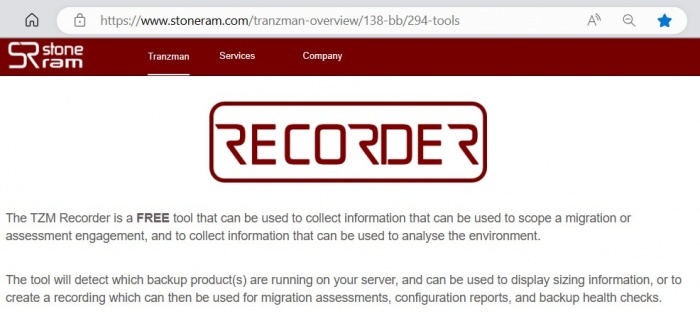
The Tranzman Recorder is a FREE tool designed to create a data snapshot of the origin or destination backup environments involved in a migration.
It gathers information from backup environments for initial assessment and migration purposes.
Additionally, it serves as a virtual agent for migrations and recoveries.
Download: Tranzman Recorder or request via email: TZM support

 From NBU version > 10.5, tzm_recorder -setup_nbat command must be completed before running tzm_recorder
| > ./tzm_recorder -setup_nbat |
| Please enter the type (NIS, NISPLUS, WINDOWS, vx, unixpwd, ldap) > unixpwd #use appropriate type |
| Please enter the broker > PRIMARY_FQDN |
| Please enter the login username > USERNAME |
| Please enter the password for <username> > PASSWORD |
All of the recent versions of Linux, NetBackup Appliance, Flex/Flexscale Appliances are x86_64(AMD64) based. So use 'Linux 64bit' TZM Recorder binary for these machines.
Recorder Usage: UNIX/Linux
-
Download and Extract
Download the recorder binary onto the backup servers involved in the migration.
Copy the binary to /usr/openv/tmp directory Ensure at least 2GB of free space on the filesystem.
Extract using:> tar xzf tzm_recorder_linux.64.tgz If tar does not support z:
> gunzip tzm_recorder_linux.64.tgz > tar xf tzm_recorder_linux.64.tgz -
Update Permissions
> chmod +xr -R tzm_recorder -
Execute the Recorder
> cd tzm_recorder > ./tzm_recorder INFO | Tool build date Thu Apr 6 21:45:03 2023 INFO | START - Gathering environment information INFO | Retrieving process list
Recorder Usage: Windows
-
Download and Extract
Download the Windows binary zip file and extract the contents.
Ensure at least 2GB of free space on the extracted filesystem.
Right-click the zip file and select "Extract." -
Execute the Recorder
Open a CMD prompt, navigate to the extracted directory, and run:# tzm_recorder.exe
The CMD prompt should be started as Run as Administrator or with an account that has Administrator rights.
Recorder Usage: NetBackup Appliance
-
Copy recorder to NetBackup Appliance
Use scp to copy the recorder tarball to the appliance:> scp tzm_recorder_linux.64.tgz admin@<appliance_IP>:/usr/openv/tmp - Connect via SSH
Log in to the appliance using SSH:> ssh admin@<appliance_IP> - Enter Maintenance Mode
From CLISH, navigate to:> Support > Maintenance Enter the Maintenance password when prompted.
- Override IPS Policy
Run the override script:> /opt/Symantec/sdcssagent/IPS/sisipsoverride.sh > /opt/Veritas/sdcssagent/IPS/sisipsoverride.sh (in some cases) You will see output such as:
- Symantec Critical Protection Policy Override
- Agent Version: 6.5.0 (build 355)
- Current Policy: NetBackup Appliance Prevention Policy, r33
- Policy Prevention: Enabled
- Policy Override: Allowed
- Override State: Not overridden
Enter the Maintenance password again to proceed.
- Select Override Type
Options:- Override Prevention except for Self Protection
- Override Prevention Completely
Choose option 2 for complete override. (Option 1 may interfere with recorder operations.)
- Set Override Duration
Choose from:- 15 minutes
- 30 minutes
- 1 hour
- 2 hours
- 4 hours
- 8 hours
Select the maximum duration required.
- Optional Comment
Enter a comment or pressEnterto skip. - Elevate to Root
Once override is successful:> maintenance - !> elevate - Run recorder
cd to /tmp or whichever directory recorder is copied.
Extract the recorder tarball and set execute permissions for the recorder binary:
Execute the recorder:
# cd /usr/openv/tmp # tar -xzf tzm_recorder_linux.64.tgz # cd tzm_recorder # chmod +x tzm_recorder # ./tzm_recorder
 NOTE: From NBU version > 10.5, tzm_recorder -setup_nbat command must be completed before running ./tzm_recorder
Recorder Usage: NetBackup Flex Appliance or Flex Scale
- Connect via SSH
SSH into the appliance primary server instance using appadmin and use sudo to root. Enter the appadmin password to gain root access.> ssh appadmin@<primary_server_instance> > sudo -i > [sudo] password for appadmin: - Run recorder
Copy the recorder tarball to /mnt/nbdata/usr/openv/tmp directory of primary server using scp:
> scp tzm_recorder_linux.64.tgz appadmin@<primary_server_instance>:/mnt/nbdata/usr/openv/tmp Extract the recorder tarball and set execute permissions for the recorder binary:
# cd /mnt/nbdata/usr/openv/tmp # tar -xzf tzm_recorder_linux.64.tgz # cd tzm_recorder # chmod +x tzm_recorder # ./tzm_recorder
NOTE: From NBU version > 10.5, tzm_recorder -setup_nbat command must be completed before running ./tzm_recorder
Recorder Usage: NetBackup CloudScale
-
Copy Recorder Binary
Securely Copy the recorder binary from the machine to CloudScale Terraform management server (TMS or tms):> scp tzm_recorder_linux.64.tgz <user>@<cloudscale-tms-ip>:/tmp -
Access the Environment
Log in to the Kubernetes cluster or CloudScale Terraform management server:> ssh <admin>@<cloudscale-tms-ip> -
Identify Target Pod
List the pods in the target namespace to identify where to deploy the recorder: The primary server pod will end with “-primary-0” and the namespace will be “netbackup”> kubectl get pods -n netbackup -
Transfer to Pod
Copy the Recorder from CloudScale to the primary server pod:> kubectl cp tzm_recorder_linux.64.tgz <namespace>/<pod-name>:/tmp/ -
Extract and Prepare
Login to the primary server pod and extract the recorder:> kubectl exec -it <pod-name> -n <namespace> -- /bin/bash > cd /tmp > tar -xzf tzm_recorder_linux.64.tgz > cd tzm_recorder -
Run the Recorder
Set the executable permission and execute the recorder inside the pod. Execute “./tzm_recorder -setup_nbat” to authenticate NBAT for successful authentication with NetBackup. You’ll be prompted for the following information. Initial user name and password can be found in the azure/deployment TFVARS files used to deploy the CloudScale cluster.> chmod +x ./tzm_recorder > ./tzm_recorder -setup_nbat Please enter the type (NIS, NISPLUS, WINDOWS, vx, unixpwd, ldap) > unixpwd #This will always be unixpwd Please enter the broker > PRIMARY_FQDN Please enter the login username > USERNAME Please enter the password for adpadmin > PASSWORD This will create a file /tmp/tzm_recorder/nbat_info.txt
Now execute the tzm recorder to start the data collection process> ./tzm_recorder INFO | START - Gathering environment information INFO | Retrieving process list Once the tzm_recorder completes, log out of the primary pod to get back to the shell on the Terraform management server.
Execute the following command to copy the TZM recording file back to the local directory> kubectl cp <namespace>/<pod-name>:/tmp/tzm_recorder/<TZM_RECORDING.ZIP> ./<TZM_RECORDING.ZIP>
Ensure the pod has sufficient free space (≥2GB) before extraction and execution.
Data Anonymization
Sensitive data may be present in the output generated by tzm_recorder. If user likes to maintain privacy and security, it is crucial to anonymize this data before sharing or storing it.
Anonymization can be achieved by removing or obfuscating personally identifiable information (PII) and other sensitive details.
Tranzman try to anonymize as much as possible, however a manual review is recommended to ensure that all sensitive data has been properly anonymized.
By default, tzm_recorder generates an output file as a zip. To anonymize data, either extract manually or run with the -no_zip option:
| > tzm_recorder -no_zip |
This generates a directory TZM_recording_xxxxxxxxxx
Now run -get_identifiable to discover sensitive data (server names, IP address etc)
| > tzm_recorder -get_identifiable -recording_path 'path_to_recording' |
This generates a file anon_map.txt with all the identifiable data found in the recording.
Review this file and replace any sensitive data with anonymized values.
| > tzm_recorder -anonymize -recording_path 'path_to_recording' |
This command generates an anonymized recorder output as TZM_recording_xxxxxxxxxx_anon.zip
Sizing Data using Recorder
Data Sizing provides a quick insight into the size of backup domain, OS and application data. It helps to identify potential storage required for migration.
To run data sizing, use the following command:
| > tzm_recorder -sizer |
Sample Sizing Data
NetBackup
-------------------------------------------------------------
--                    Sizing Information                   --
-------------------------------------------------------------
                        Environment Name = nbu-example-srv
                          Backup Product = NBU
                  Backup Product Version = 8.2
                                Platform = MSWin32
                   Clustering Technology = Standalone
                            Catalog Size = 1.78TB
                 Catalog Backup Duration = 99981
                     Protected Data Size = 2.86PB
                 Number of Images / Sets = 245078
           Number of Fragments / SubSets = 790218
                     Largest Image / Set = 3.18TB
                Largest image file count = 29679145
                    Average daily images = 7280
                         Number of Media = NONE
  Number of Active Clients (in policies) = 756
        Number of Clients (with backups) = 6752
  Number of Servers under Master Control = 12
          Number of Policies / Workloads = 364
                              Server RAM = 64.00GB
                   Server CPU/Core Count = 36
                       Backup Data Types = [
                                             35
                                             0
                                             40
                                             7
                                             24
                                             13
                                           ]
                  New Job / Policy Types = [
                                             25
                                             35
                                             40
                                             7
                                             17
                                             15
                                             4
                                             0
                                             24
                                             19
                                             13
                                           ]
             Largest media used capacity = 0.00B
                            Server Roles = [
                                             master
                                             server
                                           ]
                                 Devices = [
                                             AdvancedDisk
                                             BasicDisk
                                             PureDisk
                                             DataDomain
                                           ]
                              Encryption = YES
                                  Dedupe = YES
|
Spectrum Protect / TSM
-------------------------------------------------------------
--                    Sizing Information                   --
-------------------------------------------------------------
                        Environment Name = TSM71-O-LNX
                          Backup Product = TSM
                  Backup Product Version = 7.1.6.0
                                Platform = linux
                   Clustering Technology = Standalone
                            Catalog Size = 1.16GB
                 Catalog Backup Duration = NONE
                     Protected Data Size = 35.50GB
                 Number of Images / Sets = 30944
           Number of Fragments / SubSets = 1708
                Number of backup objects = 80177
                     Largest Image / Set = 7.13GB
        Average backup objects per Image = 2.59
              Largest image object count = 24273
                    Average daily images = 0.00
                         Number of Media = 92
  Number of Active Clients (in policies) = 36
        Number of Clients (with backups) = 36
  Number of Servers under Master Control = UNKNOWN
          Number of Policies / Workloads = 55
                              Server RAM = 3.70GB
                   Server CPU/Core Count = 1
                       Backup Data Types = [
                                             "AIX"
                                             "DB2/LINUXX8664"
                                             "DB2/NT64"
                                             "DP Oracle Win64"
                                             "Linux x86-64"
                                             "OpenVMS"
                                             "Postgres"
                                             "SunOS"
                                             "TDP Dom LINUX64"
                                             "TDP Domino WIN64"
                                             "TDP MSExchg"
                                             "TDP MSSQL Win64"
                                             "TDP R3 Linux"
                                             "TDP VMware"
                                             "WinNT"
                                           ]
                  New Job / Policy Types = UNKNOWN
             Largest media used capacity = 3.00GB
                            Server Roles = UNKNOWN
                                 Devices = [
                                             LTO
                                             FILE
                                             DISK
                                             NAS
                                           ]
                              Encryption = NO
                                  Dedupe = NO
|
Data Protector
-------------------------------------------------------------
--                    Sizing Information                   --
-------------------------------------------------------------
                        Environment Name = hpe-example-srv
                          Backup Product = HPE
                  Backup Product Version = 10.30
                                Platform = linux
                   Clustering Technology = Standalone
                            Server Roles = UNKNOWN
                            Catalog Size = 1.52GB
                 Catalog Backup Duration = UNKNOWN
                     Protected Data Size = 2.17PB
                 Number of Images / Sets = 42003
           Number of Fragments / SubSets = 42003
                     Largest Image / Set = 3.96TB
                Largest image file count = 44640212
                    Average daily images = NONE
                         Number of Media = 7329
             Largest media used capacity = 33.44TB
  Number of Active Clients (in policies) = 137
        Number of Clients (with backups) = 329
  Number of Servers under Master Control = NONE
          Number of Policies / Workloads = 164
                              Server RAM = 36GB
                   Server CPU/Core Count = 8
                       Backup Data Types = [

                                             IDB
                                             ORACLE8
                                             WINFS
                                             FILESYSTEM
                                             E2010
                                           ]
                  New Job / Policy Types = NONE
                                 Devices = [
                                             ObjectStore
                                             LTO-Ultrium
                                           ]
                              Encryption = NO
                                  Dedupe = TES
|
Commvault
-------------------------------------------------------------
--                    Sizing Information                   --
-------------------------------------------------------------
                        Environment Name = commvault-o-win
                          Backup Product = CVM
                  Backup Product Version = 11.80.130.0
                                Platform = MSWin32
                   Clustering Technology = Standalone
                            Catalog Size = 432.57MB
                 Catalog Backup Duration = 21568
                     Protected Data Size = 88.67GB
                 Number of Images / Sets = 83
           Number of Fragments / SubSets = 221
                Number of backup objects = NONE
                     Largest Image / Set = 19.61GB
        Average backup objects per Image = 0.00
              Largest image object count = 223636
                    Average daily images = 0.00
                         Number of Media = 258
  Number of Active Clients (in policies) = 53
        Number of Clients (with backups) = UNKNOWN
  Number of Servers under Master Control = UNKNOWN
          Number of Policies / Workloads = 141
                              Server RAM = 6.00GB
                   Server CPU/Core Count = 2
                       Backup Data Types = [
                                             AIX File System
                                              Exchange Database
                                              Exchange Mailbox (Classic)
                                              Linux File System
                                              Solaris File System
                                              SQL Server
                                              Windows File System
                                           ]
                  New Job / Policy Types = NONE
             Largest media used capacity = 399.99GB
                            Server Roles = UNKNOWN
                                 Devices = UNKNOWN
                              Encryption = UNKNOWN
                                  Dedupe = UNKNOWN
|
Backup Exec
-------------------------------------------------------------
--                    Sizing Information                   --
-------------------------------------------------------------
                        Environment Name = bue14-o1-win
                          Backup Product = BUE
                  Backup Product Version = 14.1
                                Platform = MSWin32
                   Clustering Technology = Standalone
                            Catalog Size = 48.94MB
                 Catalog Backup Duration = NONE
                     Protected Data Size = 0.00B
                 Number of Images / Sets = 370
           Number of Fragments / SubSets = 562
                Number of backup objects = NONE
                     Largest Image / Set = 21.99GB
        Average backup objects per Image = Not Found
              Largest image object count = 85050
                    Average daily images = Not Found
                         Number of Media = 421
  Number of Active Clients (in policies) = 29
        Number of Clients (with backups) = UNKNOWN
  Number of Servers under Master Control = NONE
          Number of Policies / Workloads = 88
                              Server RAM = 8.00GB
                   Server CPU/Core Count = 4
                       Backup Data Types = [
                                             84
                                             39
                                             70
                                             71
                                             14
                                             59
                                             49
                                             73
                                             37
                                             43
                                           ]
                  New Job / Policy Types = NONE
             Largest media used capacity = Not Found
                            Server Roles = UNKNOWN
                                 Devices = UNKNOWN
                              Encryption = UNKNOWN
                                  Dedupe = UNKNOWN
|
Networker
-------------------------------------------------------------
--                    Sizing Information                   --
-------------------------------------------------------------
                        Environment Name = winemcnetworker
                          Backup Product = NSR
                  Backup Product Version = 9.1.0.2
                                Platform = MSWin32
                   Clustering Technology = Standalone
                            Catalog Size = 6.49MB
                 Catalog Backup Duration = 6401226
                     Protected Data Size = 4.26GB
                 Number of Images / Sets = 703
           Number of Fragments / SubSets = 703
                Number of backup objects = 162410
                     Largest Image / Set = 192.17MB
        Average backup objects per Image = 231.02
              Largest image object count = 4652
                    Average daily images = 10.65
                         Number of Media = 51
  Number of Active Clients (in policies) = 7
        Number of Clients (with backups) = 12
  Number of Servers under Master Control = 2
          Number of Policies / Workloads = 8
                              Server RAM = 5.00GB
                   Server CPU/Core Count = 4
                       Backup Data Types = [
                                             Filesystem
                                             Sybase
                                           ]
                  New Job / Policy Types = [
                                             Filesystem
                                             Sybase
                                           ]
             Largest media used capacity = 3.55GB
                            Server Roles = [
                                             Networker Server
                                             Storage Node
                                             Networker Management Console
                                           ]
                                 Devices = [
                                             LTO Ultrium-3
                                             adv_file
                                             Data Domain
                                           ]
                              Encryption = NO
                                  Dedupe = NO
|

